






Made for creators who hate editing videos
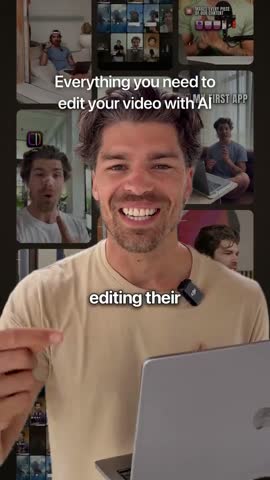
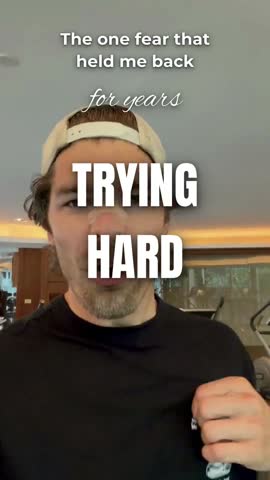
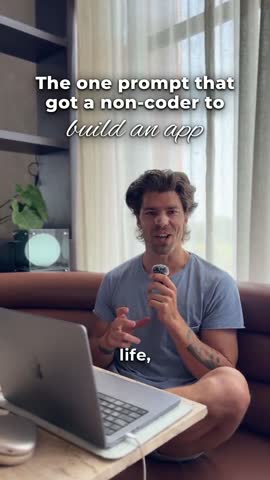 +695% views, one week after switching to Cuttr
Unlimited AI Video Editing inside your Claude
Made for your Reels, TikToks and Shorts. Film on your phone, type one sentence in the Claude app, get it back ready to post. No editing or technical skills required. Stop wasting hours on editing your videos.
 Reels
 TikTok
 Shorts
Unlimited videos · 14-day money-back · works in the Claude app on Mac and Windows

Maria Menzies
Founder, MĀIKA
“I hate editing videos, but I have to put out content every day. I tried every app and nothing was good enough until I discovered Cuttr. I can publish so much more content with no effort! Cuttr is a life changer.”
Made for the places you post
Instagram ReelsTikTokYouTube Shorts Facebook Reels
Built by a creator. Used every week.
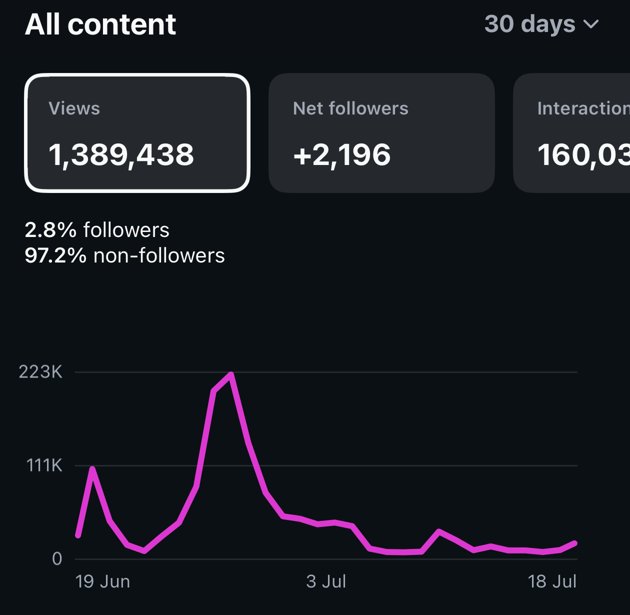
My Instagram views, one week after I started posting Reels made with Cuttr AI.
Instagram views in the 7 days after my first Reel made with the Cuttr AI editors (16 Oct 2026), against the 7 days before. Source: Instagram Insights.
“I built these editors for my own Reels. When I started posting Reels edited this way, my views took off. Every email you send comes to me.”
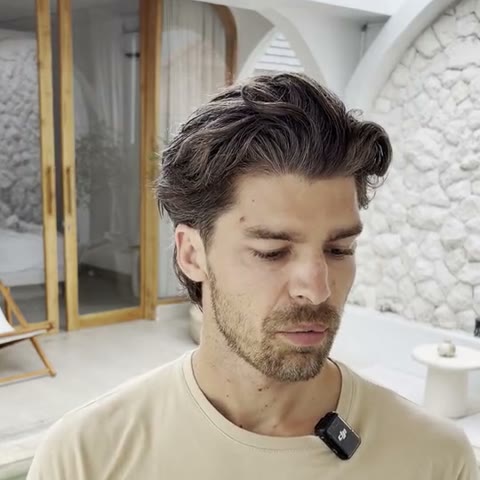
Darius Mora
@buildwithdarius.ai · made Cuttr AI
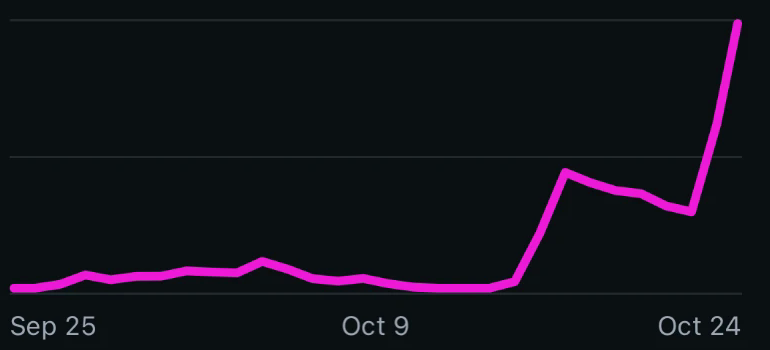
My Instagram views over 30 days. The jump is the week my Reels started coming from the Cuttr AI editors.
How Absorbed grew to 44,000 followers in its first month.

Absorbed
iPhone app · the product scanner for women's health
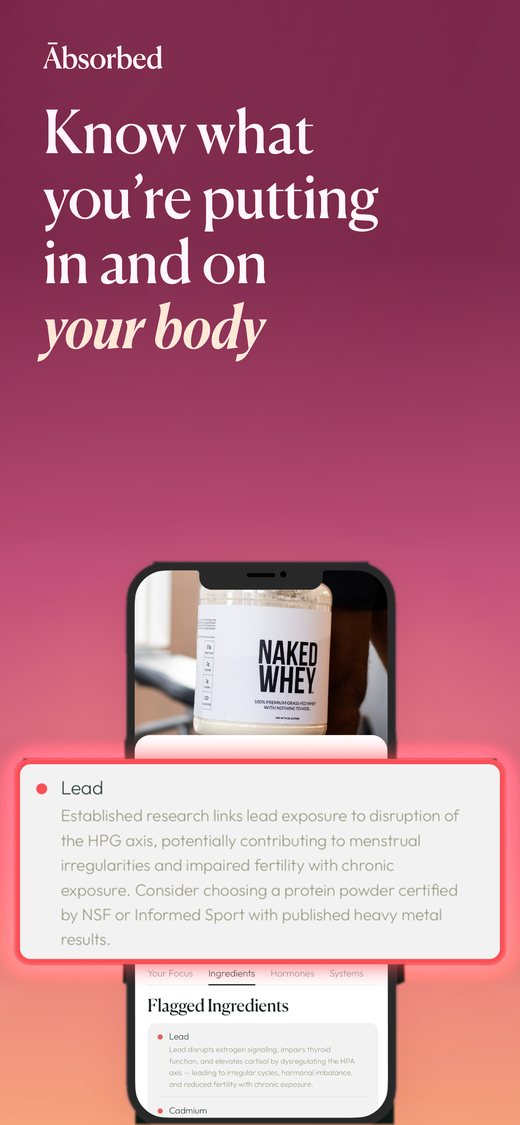
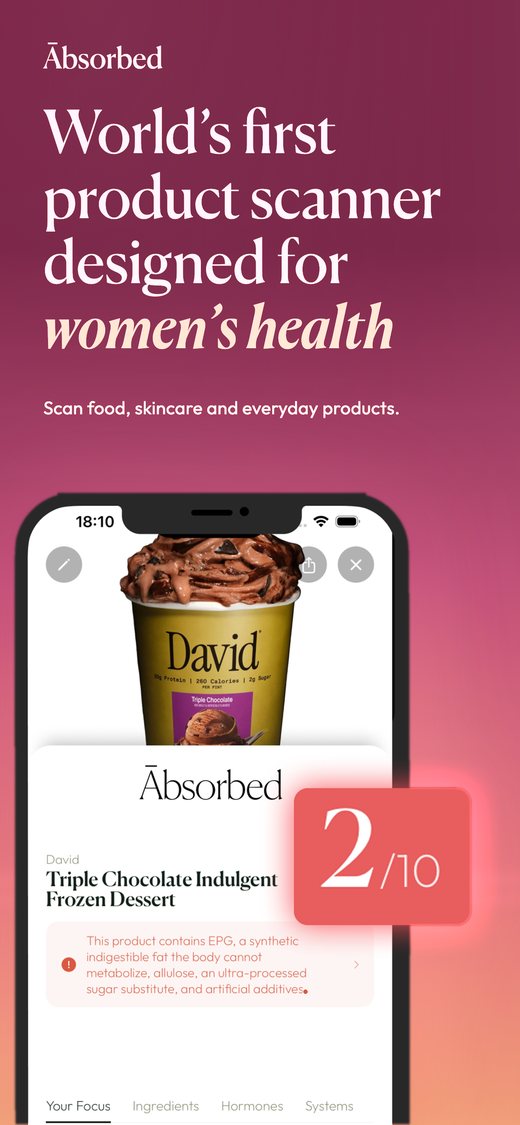
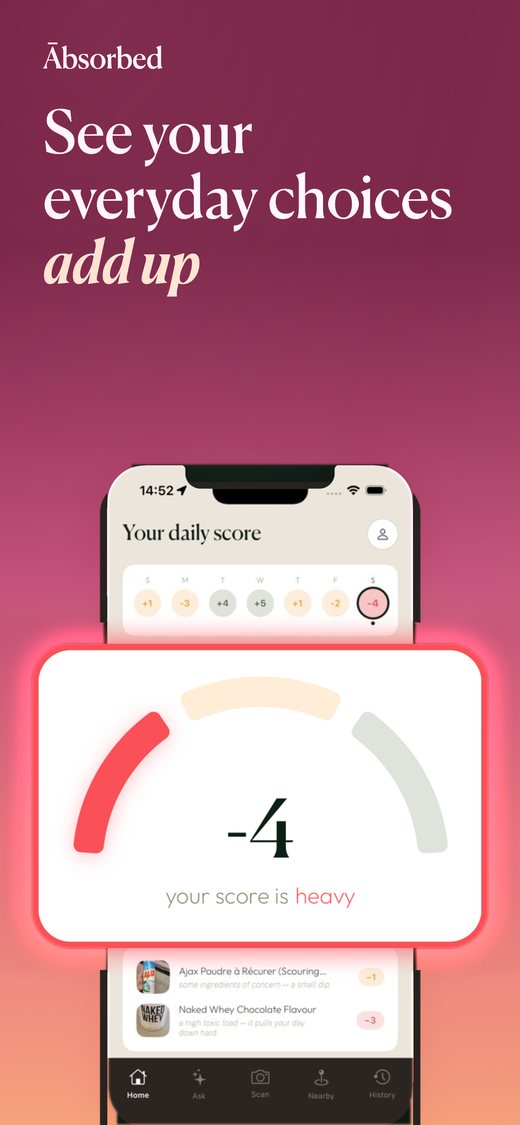
44,000
Facebook followers in month one
12M
views in month one
1.3M
views on one Reel
The challenge
A brand-new app with no audience and no editing team, launching into a crowded health feed. It needed a steady stream of short videos on three platforms from day one.
What they used
The same editors that come with Cuttr AI: list videos, product scans with the real app on screen, breaking-news videos, POV remakes and talking-head edits, cut and captioned from raw footage.
The result
44,000 Facebook followers and 12 million views in the first month, with single Reels reaching 1.3M and 1.2M views on Instagram.
“We launched with no audience and no editing team. Every Reel was edited this way, and we reached 44,000 followers and 12 million views in our first month.”
Absorbed TeamThe receipts
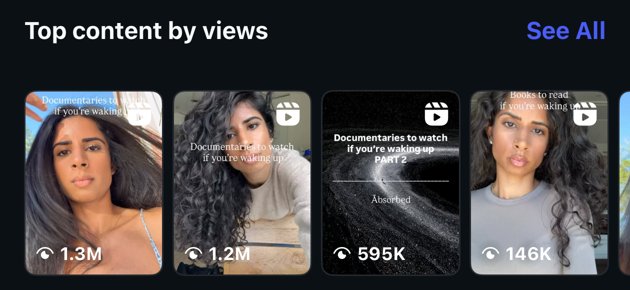
Some of the videos, made with the Cuttr editors:
Absorbed is a company co-founded by Darius Mora, who also makes Cuttr AI. Results like these depend on the idea, the account and the audience; what Cuttr gives you is the editing.
One editor. Every style.
Animated explainers, documentary lists, product scans, breaking news, talking heads, trending POVs. Every video below was edited with Cuttr.
Film it. Send it. Post it.
You never open a timeline, never learn an app, never drag a clip. Three steps, and the editing is done for you.
Film on your phone
Talk to the camera like you always do. Restart, pause, say it twice. Any length. Mistakes are fine, they get cut.
Type one sentence in Claude
Drop the video in your My Reels folder and tell Claude what you want. Paste a video you love if you want its look.
Post it to Reels, TikTok or Shorts
It lands back in your folder, ready for Instagram, TikTok and YouTube Shorts. Talking head, animated, documentary or news: any style you ask for.
It learns your style. And what gets you views.
Most editing apps start from zero every time. Cuttr remembers how you like your videos and which of your videos people actually watch, and every edit builds on it.
It remembers every note
Say “bigger captions” or “never black and white” once. It is saved to your style and used on every video after.
It learns what gets you views
Paste the link after you post. Cuttr checks its views after 1, 7 and 30 days and compares them with your own usual, never with anyone else’s.
This app replaced my editor
Winner4.5x your usual
My morning routine
1.1x your usual
Behind the scenes
0.4x your usual
Your next video starts there
Before every edit it reads your style and your winners, and leans the hook, length and look toward what works for you.
Your style and your results live on your Cuttr home, where you can see, change or delete any of it.
Every editor you need. One membership.
19 AI editors today, each one an expert at one job. A new one arrives every week, and it shows up in your Claude app on its own.
The full edit
One raw take in. A finished video out.
- Cuts every pause, repeat and restart
- Moves your best line to the first second
- Word-by-word captions
- A headline from your own words
- Graphics that pop up as you talk
Copy a video I love
Paste a video you love. Get yours in that style.
- Copies the title layout, fonts and colours
- Matches the caption style and size
- Matches the pace of the cuts
- Keeps your face and your words
Pictures as I talk
Talk about it, and it appears on screen.
- Name an app, product or place
- The right picture or clip shows up
- Timed to the exact word
- No stock sites, no searching
Just tell Claude
Don't know which editor you need? You don't have to.
Just tell Claude
Say what you want in your own words. Claude picks the right editors and does it. You never have to learn a single editor's name.
Say: “Cut the pauses and make it look like this video: (paste the link)”
Things you can say
- “Cut the pauses, add captions and write me a hook.”
- “Make my video look like this one: (link)”
- “Turn this article into a news video.”
- “Edit my YouTube video and make the thumbnail.”
- “Make a carousel about sunscreen, with sources.”
- “Give me 3 ideas for my next video.”
Claude picks the editors, asks at most one question, and tells you before using anything that needs a separate account.
Fix my video
Quick, one job each.
Clean Cut
Cuts the pauses, ums and bad takes out of your video and adds clean captions. Nothing else changes.
Say: “Clean up my video and add captions.”
Captions Only
Adds clean, word-by-word captions to your video. Keeps every second as you filmed it.
Say: “Add captions to my video.”
Pictures as I talk
As you talk, a picture of each thing you mention pops up above your head: the app, the product, the article.
Say: “Add pictures of what I am talking about.”
Talk in front of the story
Puts you in front of the real article, post or product you are talking about, changing as you speak. Film against a plain wall.
Say: “Put me in front of the articles I mention.”
A full reel from my video
Raw take in, finished reel out.
The full edit
The works: cuts, a strong hook, captions, zooms, graphics on your key words and sound effects. A raw take in, a finished video out.
Say: “Edit my video into a short video.”
Copy a video I love
Paste a video you love and get your own version with the same pacing, captions and structure, with your face and your words.
Say: “Make my video like this one: (paste the link)”
A free Apify account, to fetch the video you paste.
Reaction hook
Opens your video with a shocked reaction to your hook (an AI person, or your own reaction), then cuts to your video.
Say: “Add a reaction hook to my video.”
For an AI reaction: your own Higgsfield account (about 9 credits, paid to Higgsfield). Filming your own reaction needs nothing extra.
Product review
Film yourself picking up a product. It adds a scanner-style card with the real ingredients and your own rating.
Say: “Make a product review from this clip.”
A reel without filming
From an idea, a story, a list or a link.
Animated video
A fully animated video from an idea or a script, synced to your voice, with captions. No filming.
Say: “Make an animated video about (your topic).”
Optional: your own ElevenLabs account for an AI voice. Your own recorded voice needs nothing extra.
News video
Turns a news story into a fast, fact-checked news video with the source on screen.
Say: “Make a news video from this article: (paste the link)”
Optional: your own ElevenLabs or Higgsfield account for AI news anchors. Your own voice needs nothing extra.
Top-20 list video
The "20 films to watch" format: a fast video of real posters or covers, with your face hook and the caption written.
Say: “Make a top-20 video of (books, films or apps) for (your audience).”
Photo montage
Paste a photo-montage video and get your own version with new pictures, at the same rhythm, with your intro.
Say: “Remake this photo montage about (your topic): (paste the link)”
Your own Higgsfield account for AI pictures (about 0.12 credits each, paid to Higgsfield) and a free Apify account. Real product photos need neither.
Bedtime story video
One idea in, an animated bedtime story out: written, animated and read in your own voice.
Say: “Make a bedtime story video about (your child's idea).”
Optional: your own ElevenLabs account to read it in your cloned voice (see Voice Clone). Your own recording needs nothing extra.
Clone my voice
Your own AI voice in about 10 minutes, so every video can be read in your voice without recording it.
Say: “Help me clone my voice.”
Your own ElevenLabs account on a paid plan that includes voice cloning (paid to ElevenLabs).
Sort my b-roll
Your whole camera roll sorted into b-roll folders you can search, and a shot picked for every line of your script.
Say: “Organize my b-roll.”
A Mac or Windows computer. On a Mac it asks once for access to your Photos.
Write it for me
Hooks, captions, scripts and ideas.
Hooks and captions
Writes scroll-stopping hooks, the on-screen title and the caption for your video, in your own voice.
Say: “Write hooks and a caption for this video.”
YouTube script
Turns your notes into a YouTube script you can read while filming.
Say: “Write a YouTube script from these notes.”
What to post next
Finds your next YouTube video from real data on what people watch and search in your niche.
Say: “What should my next YouTube video be?”
YouTube and carousels
Long videos, thumbnails and swipe posts.
YouTube full edit
Edits your full YouTube video: retakes out, zooms, a picture on screen every few seconds, plus chapters and captions.
Say: “Edit my YouTube video.”
YouTube thumbnail
Designs a click-worthy thumbnail with your face from your own video, in two versions to test.
Say: “Make a thumbnail for this video.”
Instagram carousel
Turns a topic into a fact-checked Instagram carousel, designed and ready to post, with the caption.
Say: “Make a carousel about (your topic).”
Optional: your own Higgsfield account for AI photos. Free photos and your own photos need nothing extra.
A new editor every week, included
Just added: Clean Cut, Captions Only, Hooks and captions, Instagram carousel and four YouTube editors, plus Photo montage, Reaction hook, Product review, Top-20 list video, News video, Animated video and Talk in front of the story. The next ones arrive the same way, with no upgrade and no extra cost.
No camera today? It animates too.
Type an idea or paste a script and get a fully animated video, synced to your voice, with captions. No filming.
“Make an animated video about (your topic).”
Whatever you make, it edits.
Tap a style to see real videos made in it. Ask for any of them in one sentence, or paste a video you love and get that look.
Fully animated explainers: motion graphics, kinetic text and a voice, built from a script.
What you film
What you post
Everything a pro editor does. Every time.
Mistakes cut
Pauses, repeats, restarts and the “um”s, gone. 18 cuts in this 54-second take.
A scroll-stopping hook
Your strongest line moved to the very first second.
Captions, word by word
Clean captions that follow your voice, for people watching on mute.
Headline on screen
A bold title from your own words, there from the first frame.
Graphics as you talk
Cards, lists and numbers that pop up the moment you say them.
Pictures for what you mention
B-roll that appears when you name an app, product or place.
Sized for every app
Vertical 9:16, ready for Instagram, TikTok and YouTube Shorts.
Changes on request
“Start faster”, “put my logo in”. Re-edited in minutes, as often as you like.
Real raw takes. Real finished videos.
Black and white is what went in. Colour is what came out, from one sentence typed to Claude.
A rambling six-minute take became a tight 1:40 video, every app popping up as it gets named.
One take at home: a two-line title, captions and screens dropped in on cue.
Filmed between sets: best line first, a headline and graphic cards.
Stop learning editing apps. Start posting.
CapCut, Canva, Edits, Premiere, InShot and the rest all hand you a timeline and leave the editing to you. Cuttr does the editing.
→Time per video
Minutes
Cost
One membership, unlimited videos
Skills needed
Type one sentence
Copy a video's style
Paste the link
Changes
Ask, re-edited in minutes
Freelance rates: typical 2026 prices for editing short videos.
No new app. It lives in Claude.
Claude is an AI assistant app from Anthropic, like ChatGPT. Cuttr adds a team of video editors to it. Set it up once, then you simply ask.
- 1Get the Claude app on your laptopMac or Windows. Editing uses Claude Pro ($20 a month, paid to Anthropic). Already have it? You're set.
- 2Paste your setup message, click AllowWe email you one message. Paste it into Claude and it installs every editor by itself. About 3 minutes, once.
- 3Say “Edit my video into a short video.”That's the whole skill. From then on you just talk to it.
Connected your Cuttr editors
Installed Reel Editor Pro, Remake Any Reel, B-roll Pop-ups
Ready. Put a video in My Reels and tell me what you want.
One membership. Every editor. Every video.
Here is what you get. Nothing is locked behind a higher plan. Pick monthly or yearly on the next step.
All 19 editorsTalking head, copy a video you love, animated, news, lists, YouTube and more.
Unlimited videosNo credits and no per-video fees. One video a month or one a day, same price.
Same style every videoTell it once how you like your videos. It remembers, and every edit after uses it.
A new editor every weekAdded to yours by itself, at no extra cost.
See everything included
The full edit. Raw take in, finished video out: cuts, hook, captions, headline, graphics.
Copy a video I love. Paste any video you love, get yours edited in that style.
Pictures as I talk. The right picture appears when you mention something.
Talk in front of the story. You over the real article, product or photo for each line you say.
Animated video. Fully animated videos from a script, synced to your own voice.
News video. Breaking-news videos with every claim checked at the source, and the source on screen.
Top-20 list video. 20 films, books, podcasts or apps as a fast poster video, with your face hook and the caption written.
Product review. Pickup footage becomes a scanner-style overlay with the real ingredient list and your own rating.
Reaction hook. A reaction hook over your clip: your own reaction video, or an AI one using your own Higgsfield credits.
Photo montage. Paste a montage video: every card rebuilt with real product photos or AI images (your own Higgsfield credits), same rhythm.
YouTube full edit. A raw talking take becomes a finished YouTube video: retakes cut, push-ins, a real visual every few seconds, captions and chapters.
YouTube ideas, script and thumbnail. Video ideas from real channel data, a shooting script you can read from, and a thumbnail with your face cut from your own footage.
Instagram carousel. A topic becomes a fact-checked swipe carousel with real sources, two covers and the caption written.
Hooks and captions. Writes the hook, the on-screen title and the caption for any video or post, scored and checked.
A new editor every week. Each new one appears in your Claude app by itself, at no extra cost.
Unlimited videos. No credits and no per-video fees from us.
Changes on request. Ask like you would ask an editor, as often as you like.
Always the latest AI. Your editors improve on their own as better models arrive.
Setup help from a human. Reply to any email with a screenshot and we help.
∞ videos
Monthly or yearly, your choice. Cancel anytime, and a full refund within 14 days if it is not for you.
Try Cuttr nowAlso needed: a Mac or Windows laptop and Claude Pro (from Anthropic).
Questions, answered
What exactly am I buying?+
A membership to Cuttr AI Video Editing: AI video editors that run inside the Claude app on your laptop. You send a raw video, type one sentence, and get back a finished video for Reels, TikTok or Shorts. It includes Reel Editor Pro, Remake Any Reel, B-roll Pop-ups, Green Screen Editor, Animated Videos Pro, News Video, Listicle Poster Video, Product Overlay Video, AI Reaction Video, Image Montage Remake, four YouTube editors (Long-form Editor, Idea Finder, Script, Thumbnail), Carousel Maker and every new editor we add each week.
I'm on my phone. Can I buy now and set it up later?+
Yes. Buy on your phone, your setup email arrives straight away. When you're at your laptop, follow it. About three minutes, once.
Do I need to be technical?+
No. You paste one message into Claude and click Allow. After that you just talk to it. If anything goes wrong, reply to any email and we set it up with you.
What else do I need to pay for?+
Claude Pro ($20 a month, from Anthropic), which you may already have, and a Mac or Windows laptop. No credits or per-video fees from us.
How many videos can I make?+
As many as you want. Your normal Claude usage applies.
Why not just use CapCut or Edits?+
Those give you a timeline and you still do the editing. Here you type one sentence and get the finished video: cuts, captions, hook, headline, graphics.
Will it look like my style?+
Tell it what you like, or send a video you love and Remake Any Reel edits yours that way. Ask for any change afterwards.
Does it work with ChatGPT?+
Yes, in the ChatGPT app (Codex) on your laptop. The setup email covers both.
What if it doesn't work for me?+
Reply to any email within 14 days for a full refund. No forms, no questions.
How do I cancel?+
From your account page, any time.
Your next video, edited for you.
Every editor, unlimited videos, a new editor every week, and a 14-day money-back guarantee.