Film it. Type one sentence. Post it.
You never open a timeline or learn an app. You film like you always do, tell Claude what you want, and the finished video lands in your folder.

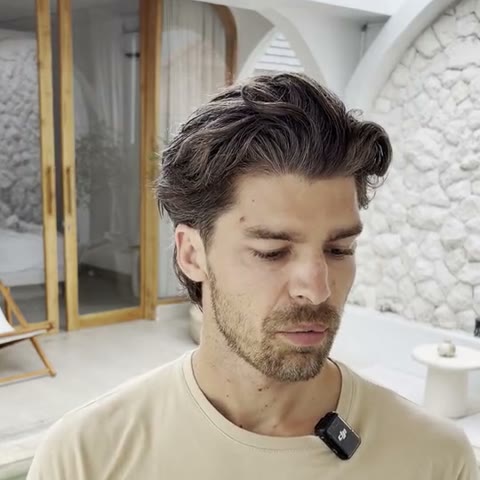
 +695% views in one week · 12M views for Absorbed in month one
Film it. Send it. Post it.
You never open a timeline, never learn an app, never drag a clip. Three steps, and the editing is done for you.
Film on your phone
Talk to the camera like you always do. Restart, pause, say it twice. Any length. Mistakes are fine, they get cut.
Type one sentence in Claude
Drop the video in your My Reels folder and tell Claude what you want. Paste a video you love if you want its look.
Post it to Reels, TikTok or Shorts
It lands back in your folder, ready for Instagram, TikTok and YouTube Shorts. Talking head, animated, documentary or news: any style you ask for.
Real raw takes. Real finished videos.
Black and white is what went in. Colour is what came out, from one sentence typed to Claude.
A rambling six-minute take became a tight 1:40 video, every app popping up as it gets named.
One take at home: a two-line title, captions and screens dropped in on cue.
Filmed between sets: best line first, a headline and graphic cards.
No new app. It lives in Claude.
Claude is an AI assistant app from Anthropic, like ChatGPT. Cuttr adds a team of video editors to it. Set it up once, then you simply ask.
- 1Get the Claude app on your laptopMac or Windows. Editing uses Claude Pro ($20 a month, paid to Anthropic). Already have it? You're set.
- 2Paste your setup message, click AllowWe email you one message. Paste it into Claude and it installs every editor by itself. About 3 minutes, once.
- 3Say “Edit my video into a short video.”That's the whole skill. From then on you just talk to it.
Connected your Cuttr editors
Installed Reel Editor Pro, Remake Any Reel, B-roll Pop-ups
Ready. Put a video in My Reels and tell me what you want.
It learns your style. And what gets you views.
Most editing apps start from zero every time. Cuttr remembers how you like your videos and which of your videos people actually watch, and every edit builds on it.
It remembers every note
Say “bigger captions” or “never black and white” once. It is saved to your style and used on every video after.
It learns what gets you views
Paste the link after you post. Cuttr checks its views after 1, 7 and 30 days and compares them with your own usual, never with anyone else’s.
This app replaced my editor
Winner4.5x your usual
My morning routine
1.1x your usual
Behind the scenes
0.4x your usual
Your next video starts there
Before every edit it reads your style and your winners, and leans the hook, length and look toward what works for you.
Your style and your results live on your Cuttr home, where you can see, change or delete any of it.
What changes when the editing is done for you.
You post on the days you planned to
The video you filmed this morning is up today, not sitting in your camera roll waiting for a free evening.
Your evenings come back
No timeline, no keyframes, no fiddling with captions. You type one sentence and do something else.
You look like a brand with a team
Hook, captions, headline and graphics on every video, in the same style every time.
One take turns into more posts
Change your footage by saying it, copy a format that is working, or make a video with no filming at all.
You stop paying per video
Unlimited videos for one flat price. Post more without the bill going up.
It gets better without you
Your notes are remembered, and new editors and updates arrive by themselves every week.
People who stopped editing and started posting.
Posts every day
“I hate editing videos, but I have to put out content every day. I tried every app and nothing was good enough until I discovered Cuttr. I can publish so much more content with no effort! Cuttr is a life changer.”
Maria MenziesFounder, MĀIKA+695% views in one week
“My views went up 695% the week I started posting Reels edited with Cuttr. I film once, type one sentence, and post.”
Darius Mora@buildwithdarius.ai12M views in month one
“We launched with no audience and no editing team. Every Reel was edited this way, and we reached 44,000 followers and 12 million views in our first month.”
Absorbed TeamAbsorbed appDarius Mora makes Cuttr AI and co-founded Absorbed. The numbers are from their own Instagram and Facebook Insights.
Most tools hand you a timeline. Cuttr hands you the finished video.
The facts, from each product's own pricing and product pages. Tap a name for the full side by side.
Cuttr AI
- How you edit
- Type one sentence in the Claude app; the editor does the whole edit
- How many videos
- Unlimited videos, no credits
- Price
- $19 a month or $149 a year, plus Claude Pro ($20 a month from Anthropic)
- How you edit
- Timeline editor: cut, arrange and polish on a timeline, with templates and AI tools
- How many videos
- Pro includes 1,200 AI credits a month; the free plan lists none
- Price
- Free plan. Pro USD 19.99 a month or USD 179.99 a year (their page says prices are for reference and the final price shows after sign-in)
- How you edit
- Automatic clipping of long videos into shorts, plus editing
- How many videos
- Credits from your OpusClip plan; MCP use draws on the same balance
- Price
- Free plan. Starter $15 a month, Pro $29 a month, Business custom
- How you edit
- Text-based: edit the transcript to edit the video, plus the Underlord AI agent
- How many videos
- Hobbyist: 10 media hours and 400 AI credits a month; connector imports and edits draw on the same
- Price
- Free plan. Hobbyist $16 or $24, Creator $24 or $35, Business $50 or $65, per person a month (the lower price with yearly billing)
- How you edit
- You send footage and notes, they edit, you ask for changes
- How many videos
- Paid per video, per hour or per package
- Price
- Set by each editor, per video or per hour; ask for a quote
The honest answers to what holds people back.
“I'm not technical.”
You paste one message we email you into the Claude app and click Allow. After that you just talk to it. If anything gets stuck, reply to any email with a screenshot and a human helps you.
“I'm on my phone right now.”
Buy here in a minute. Your setup email arrives straight away, and you open it on your laptop whenever you are ready.
“Will it look like me, or like AI?”
It edits your own footage, in your own voice. Tell it once how you like your videos, or paste a video you love, and every edit after follows that style.
“What if I don't like an edit?”
Say what to change, like you would to an editor: bigger captions, cut the intro, a different hook. It re-edits, as often as you like, at no extra cost.
Every editor. Unlimited videos.
$19 a month or $149 a year. Cancel any time. Buy on your phone, set up on your laptop later.
Your next video, edited for you.
Every editor, unlimited videos, and editors that get better every week.