One membership. Every editor. Every video.
21 AI video editors that run inside the Claude app, the AI Video Editor Course, and unlimited videos. Nothing is locked behind a higher plan.

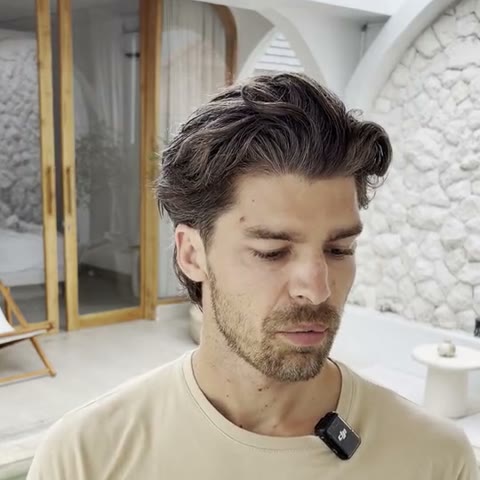
 +695% views in one week · 12M views for Absorbed in month one
You also need a Mac or Windows laptop and Claude Pro ($20 a month, paid to Anthropic). On your phone? Buy here now, your setup email arrives at once, and you set it up on your laptop later.
Not just editors. Everything to post every day.
Unlimited videos
No credits and no per-video fees from us. One video a month or three a day, same price.
Same style, every video
Tell it once how you like your videos. It remembers, and every edit after follows it.
Changes whenever you ask
Bigger captions, a new hook, cut the intro. Ask like you would ask an editor, as often as you like.
The AI Video Editor Course
12 short lessons: get Claude to edit your videos, then copy the editing of any video you love.
New editors at no extra cost
Every editor we add lands in your Claude app by itself. Nothing is ever behind a higher plan.
Updates every week
Your editors improve on their own as we fix things and as better AI arrives.
Help from a human
Reply to any email with a screenshot and we help you, including with setup.
Works on Mac and Windows
In the Claude app, and also in the ChatGPT desktop app through Codex.
Every editor, one for every job you would give an editor.
You never have to pick one: say what you want in plain words and Claude picks the right editor. Tap any editor to see what it makes.
Edit my videos
Your raw take in, a finished video out.
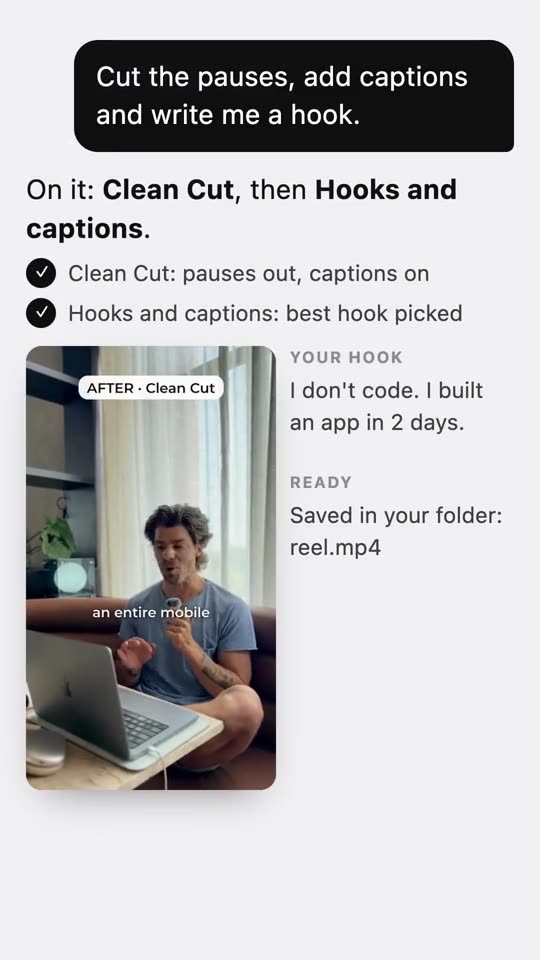 Just tell ClaudeSay what you want in your own words. Claude picks the right editors and does it.
 The full editThe works: cuts, a strong hook, captions, zooms, graphics on your key words and sound effects. A raw take in, a finished video out.
 Copy a video I lovePaste a video you love and get your own version with the same pacing, captions and structure, with your face and your words.
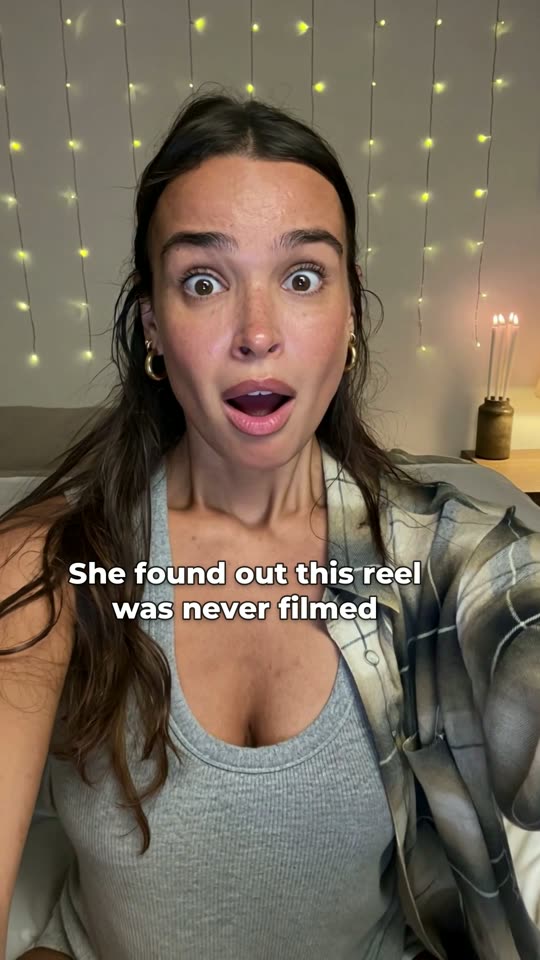 Reaction hookOpens your video with a shocked reaction to your hook (an AI person, or your own reaction), then cuts to your video.
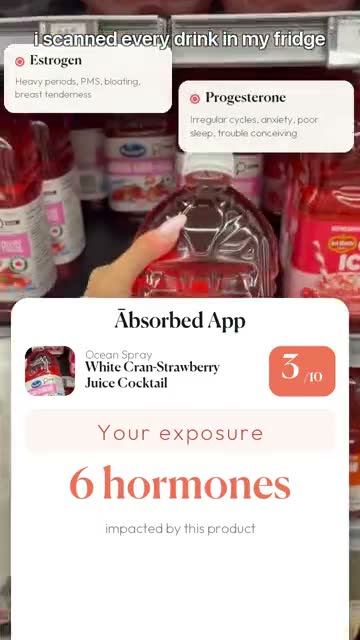 Product reviewFilm yourself picking up a product. It adds a scanner-style card with the real ingredients and your own rating.
Quick fixes
One job each, done in one sentence.
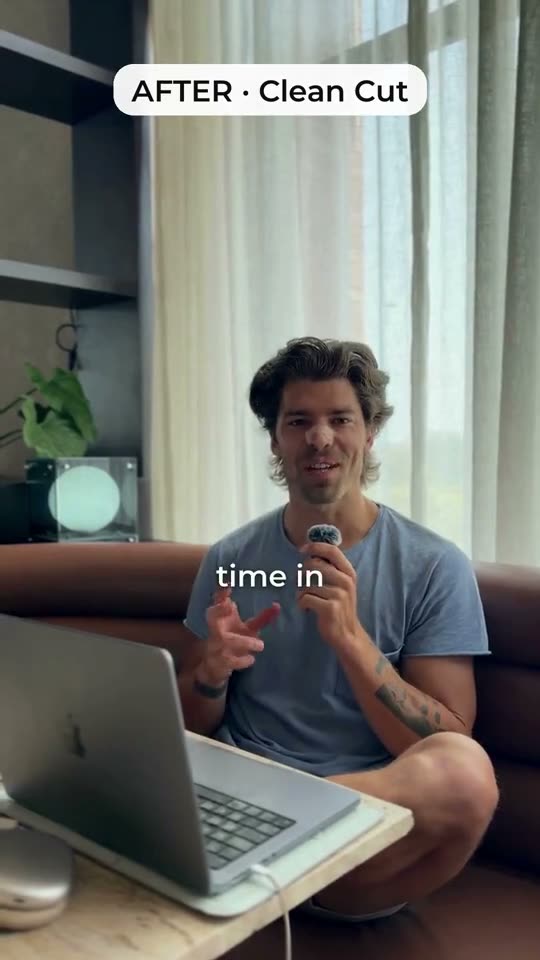 Clean CutCuts the pauses, ums and bad takes out of your video and adds clean captions. Nothing else changes.
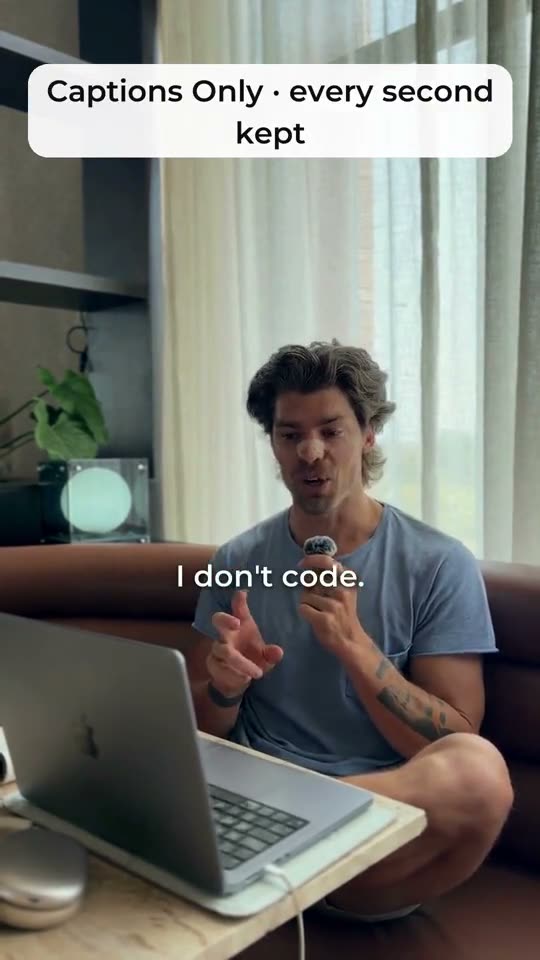 Captions OnlyAdds clean, word-by-word captions to your video. Keeps every second as you filmed it.
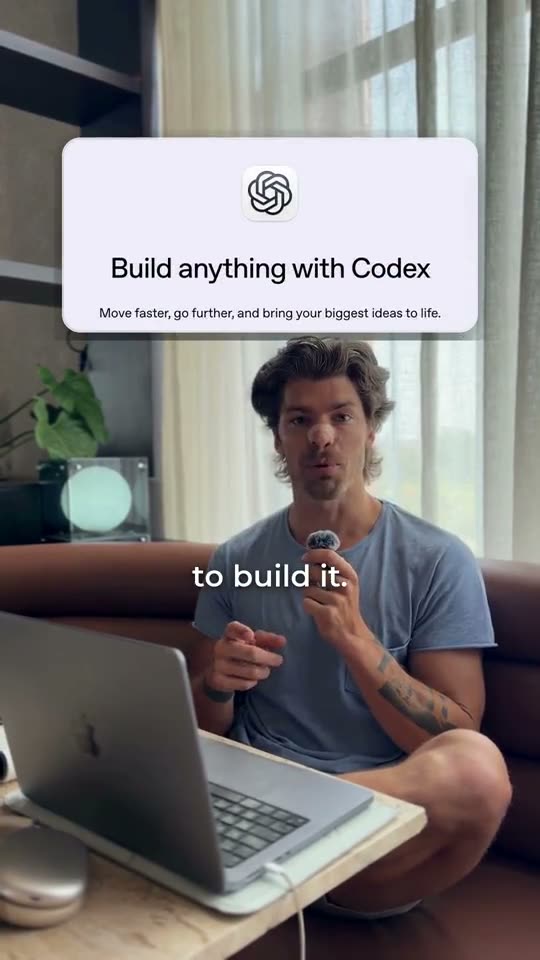 Pictures as I talkAs you talk, a picture of each thing you mention pops up above your head: the app, the product, the article.
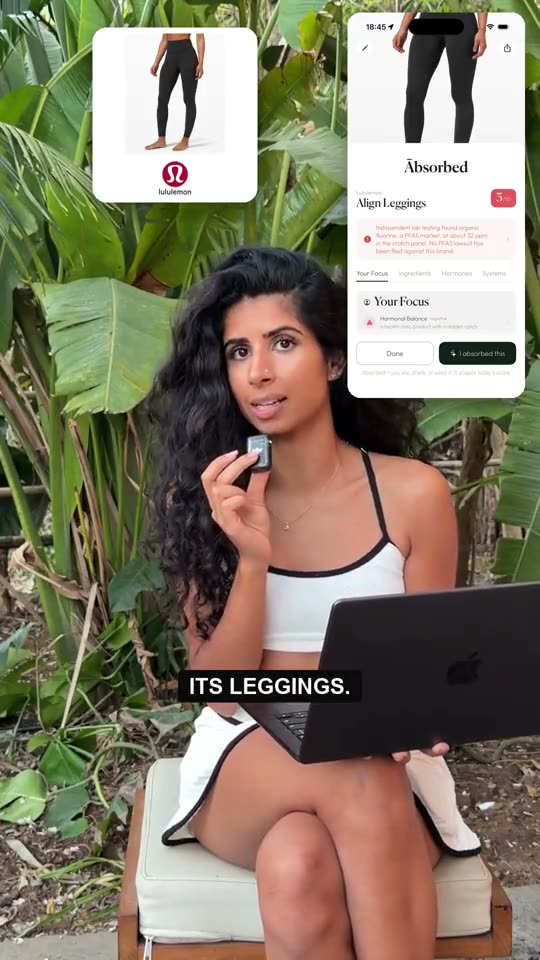 Talk in front of the storyPuts you in front of the real article, post or product you are talking about, changing as you speak. Film against a plain wall.
 Change your footage by saying itSay what to change in a video you already shot (the room behind you, the light, clutter, vertical, another language) and get it back changed. Your face and your real voice stay.
 Color grade my videoYour photo or video in a cinematic, dreamy or cozy look in a minute, or matched to a photo you love.
Videos without filming
From an idea, a story, a list or a link.
 Animated videoA fully animated video from an idea or a script, synced to your voice, with captions. No filming.
 News videoTurns a news story into a fast, fact-checked news video with the source on screen.
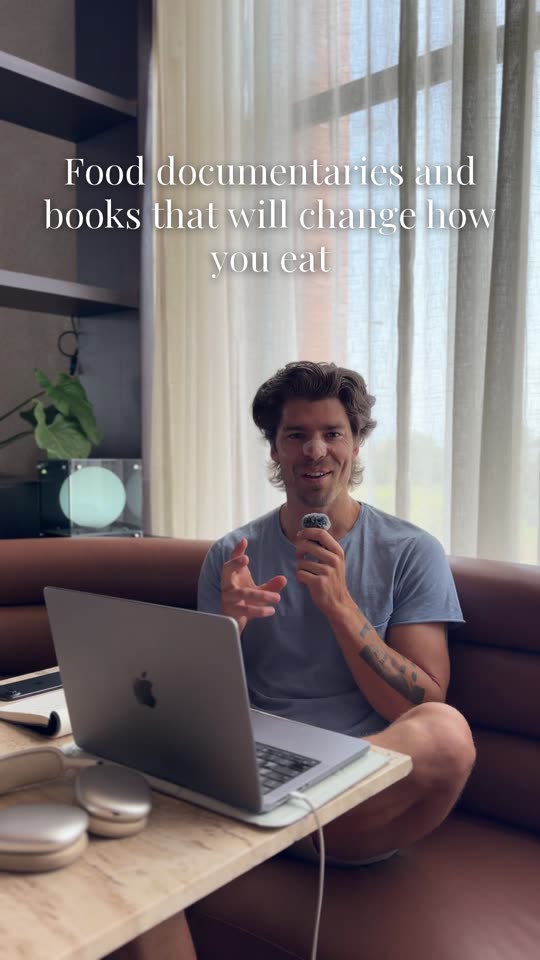 Top-20 list videoThe "20 films to watch" format: a fast video of real posters or covers, with your face hook and the caption written.
 Photo montagePaste a photo-montage video and get your own version with new pictures, at the same rhythm, with your intro.
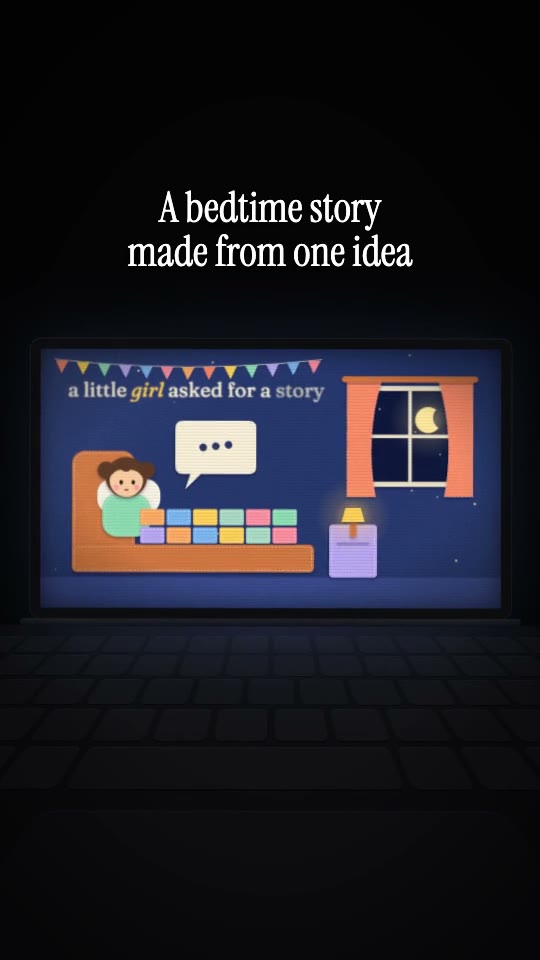 Bedtime story videoOne idea in, an animated bedtime story out: written, animated and read in your own voice.
YouTube
Long videos, from the idea to the thumbnail.
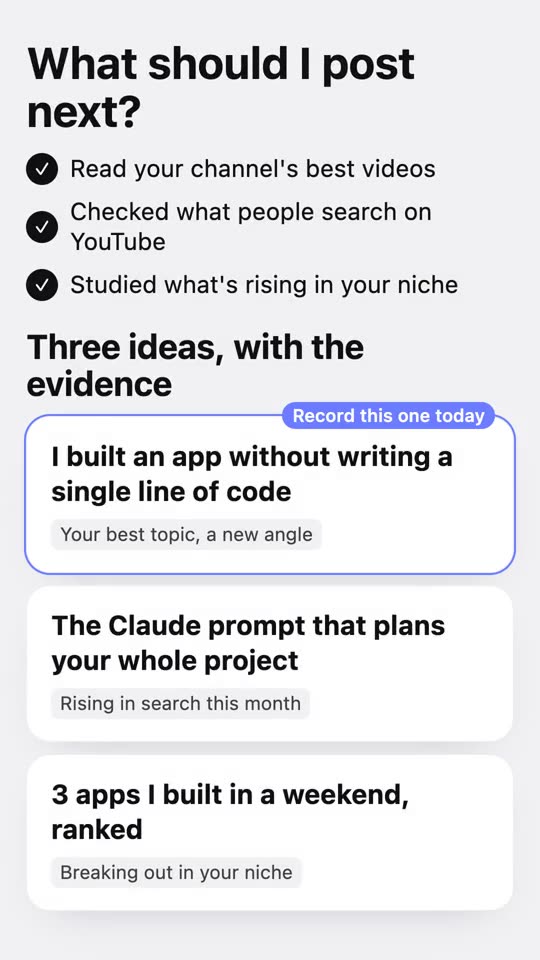 What to post nextFinds your next YouTube video from real data on what people watch and search in your niche.
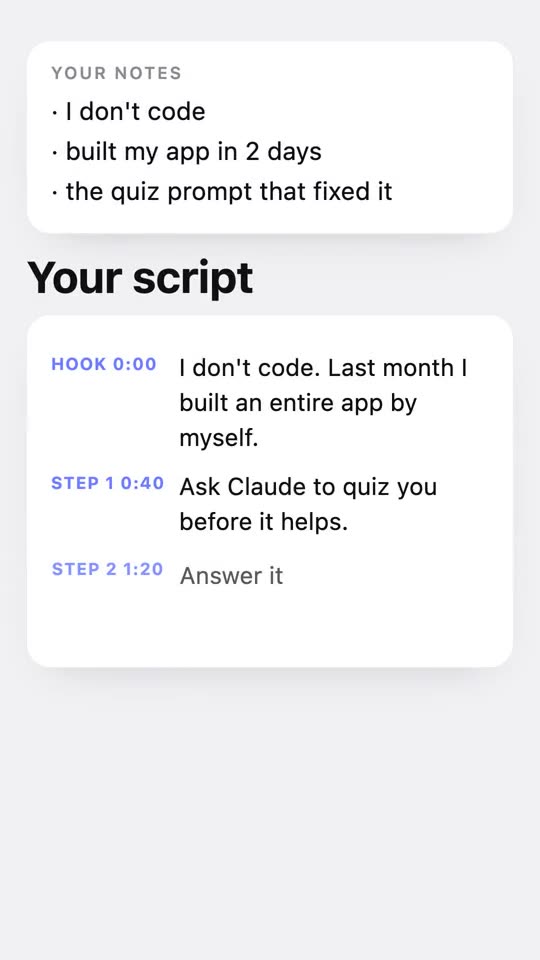 YouTube scriptTurns your notes into a YouTube script you can read while filming.
 YouTube full editEdits your full YouTube video: retakes out, zooms, a picture on screen every few seconds, plus chapters and captions.
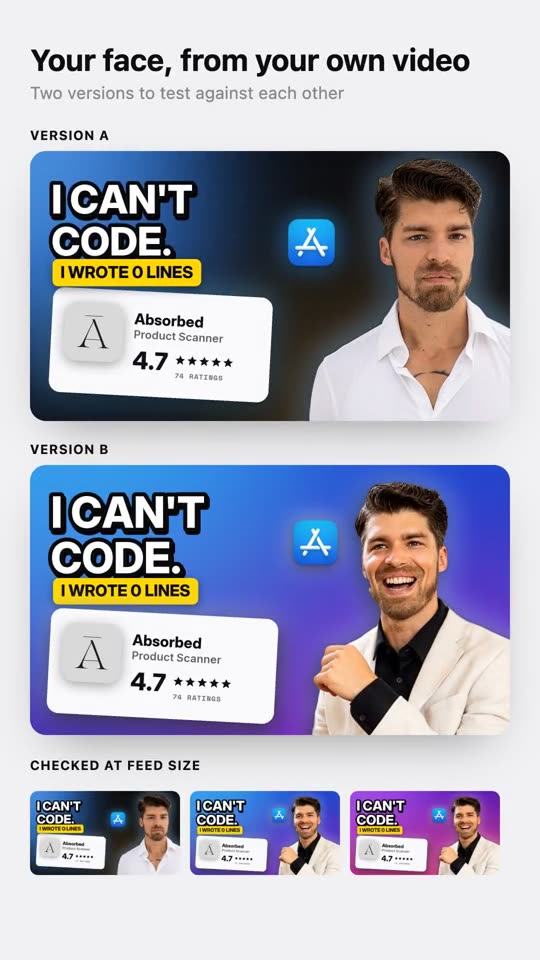 YouTube thumbnailDesigns a click-worthy thumbnail with your face from your own video, in two versions to test.
Organize, write and plan
Your footage, your words and your voice, sorted.
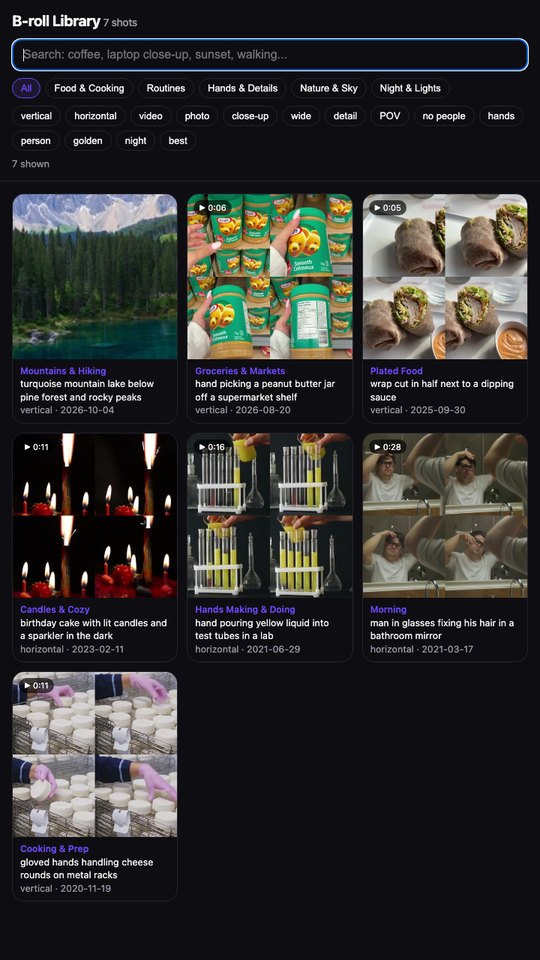 Sort my b-rollYour whole camera roll sorted into b-roll folders you can search, and a shot picked for every line of your script.
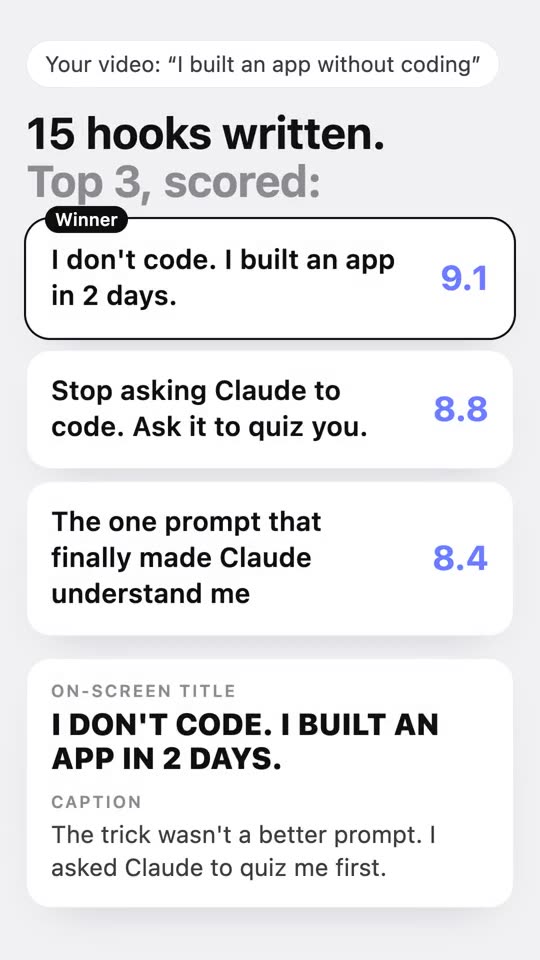 Hooks and captionsWrites scroll-stopping hooks, the on-screen title and the caption for your video, in your own voice.
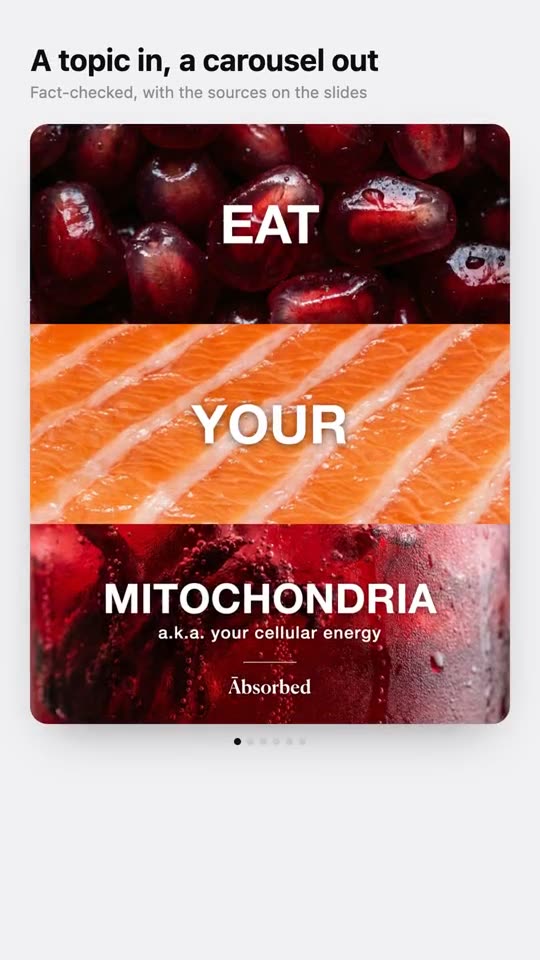 Instagram carouselTurns a topic into a fact-checked Instagram carousel, designed and ready to post, with the caption.
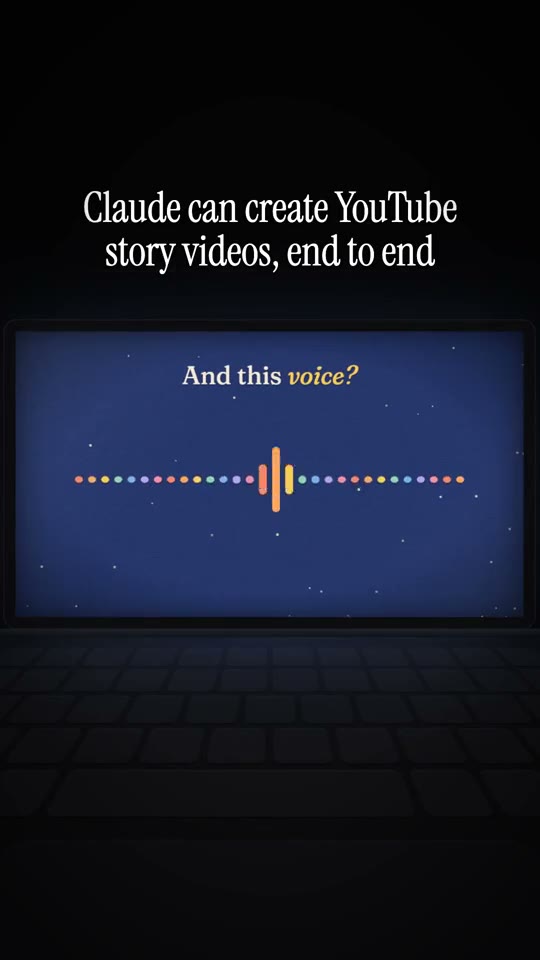 Clone my voiceYour own AI voice in about 10 minutes, so every video can be read in your voice without recording it.
Want to try first? The free starters are lighter versions anyone can use: free video editor and free animated videos.
What changes when the editing is done for you.
You post on the days you planned to
The video you filmed this morning is up today, not sitting in your camera roll waiting for a free evening.
Your evenings come back
No timeline, no keyframes, no fiddling with captions. You type one sentence and do something else.
You look like a brand with a team
Hook, captions, headline and graphics on every video, in the same style every time.
One take turns into more posts
Change your footage by saying it, copy a format that is working, or make a video with no filming at all.
You stop paying per video
Unlimited videos for one flat price. Post more without the bill going up.
It gets better without you
Your notes are remembered, and new editors and updates arrive by themselves every week.
People who stopped editing and started posting.
Posts every day
“I hate editing videos, but I have to put out content every day. I tried every app and nothing was good enough until I discovered Cuttr. I can publish so much more content with no effort! Cuttr is a life changer.”
Maria MenziesFounder, MĀIKA+695% views in one week
“My views went up 695% the week I started posting Reels edited with Cuttr. I film once, type one sentence, and post.”
Darius Mora@buildwithdarius.ai12M views in month one
“We launched with no audience and no editing team. Every Reel was edited this way, and we reached 44,000 followers and 12 million views in our first month.”
Absorbed TeamAbsorbed appDarius Mora makes Cuttr AI and co-founded Absorbed. The numbers are from their own Instagram and Facebook Insights.
Three videos a week. What does that cost you now?
Posting three times a week is about 12 videos a month. Here is what those 12 videos cost the other ways, in money or in evenings.
Freelance rates: typical 2026 prices for editing short videos. Hours: a typical edit with cuts, captions and graphics in an editing app. You also need Claude Pro ($20 a month from Anthropic). Yearly works out at $12 a month.
Most tools hand you a timeline. Cuttr hands you the finished video.
The facts, from each product's own pricing and product pages. Tap a name for the full side by side.
Cuttr AI
- How you edit
- Type one sentence in the Claude app; the editor does the whole edit
- How many videos
- Unlimited videos, no credits
- Price
- $19 a month or $149 a year, plus Claude Pro ($20 a month from Anthropic)
- How you edit
- Timeline editor: cut, arrange and polish on a timeline, with templates and AI tools
- How many videos
- Pro includes 1,200 AI credits a month; the free plan lists none
- Price
- Free plan. Pro USD 19.99 a month or USD 179.99 a year (their page says prices are for reference and the final price shows after sign-in)
- How you edit
- Automatic clipping of long videos into shorts, plus editing
- How many videos
- Credits from your OpusClip plan; MCP use draws on the same balance
- Price
- Free plan. Starter $15 a month, Pro $29 a month, Business custom
- How you edit
- Text-based: edit the transcript to edit the video, plus the Underlord AI agent
- How many videos
- Hobbyist: 10 media hours and 400 AI credits a month; connector imports and edits draw on the same
- Price
- Free plan. Hobbyist $16 or $24, Creator $24 or $35, Business $50 or $65, per person a month (the lower price with yearly billing)
- How you edit
- You send footage and notes, they edit, you ask for changes
- How many videos
- Paid per video, per hour or per package
- Price
- Set by each editor, per video or per hour; ask for a quote
Built by a creator. Used every week.
My Instagram views, one week after I started posting Reels made with Cuttr AI.
Instagram views in the 7 days after my first Reel made with the Cuttr AI editors (16 Oct 2026), against the 7 days before. Source: Instagram Insights.
“I built these editors for my own Reels. When I started posting Reels edited this way, my views took off. Every email you send comes to me.”
Darius Mora
@buildwithdarius.ai · made Cuttr AI
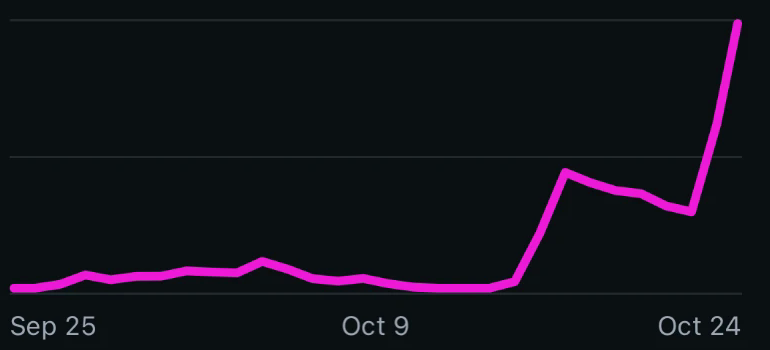
My Instagram views over 30 days. The jump is the week my Reels started coming from the Cuttr AI editors.
The honest answers to what holds people back.
“I'm not technical.”
You paste one message we email you into the Claude app and click Allow. After that you just talk to it. If anything gets stuck, reply to any email with a screenshot and a human helps you.
“I'm on my phone right now.”
Buy here in a minute. Your setup email arrives straight away, and you open it on your laptop whenever you are ready.
“Will it look like me, or like AI?”
It edits your own footage, in your own voice. Tell it once how you like your videos, or paste a video you love, and every edit after follows that style.
“What if I don't like an edit?”
Say what to change, like you would to an editor: bigger captions, cut the intro, a different hook. It re-edits, as often as you like, at no extra cost.
Every editor. Every video. One membership.
Every editor, unlimited videos, and editors that get better every week.